
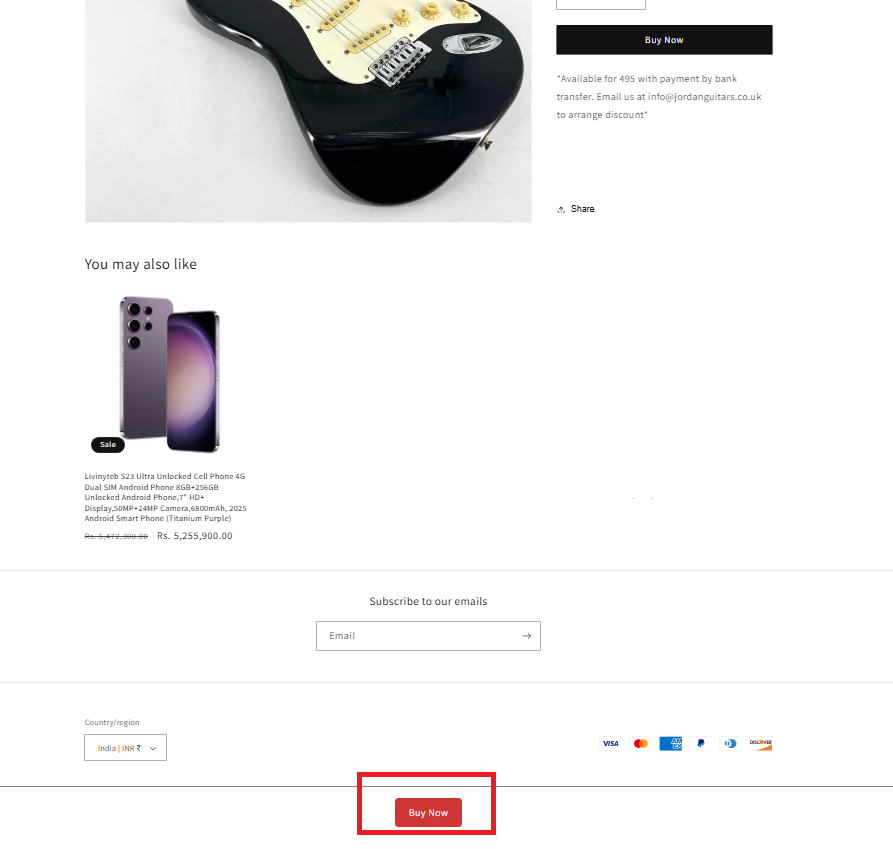
A floating bar becomes visible either when customers start to scroll/swipe down or when customers scroll/swipe beyond the original Outlink button. The bar contains the Outlink button so your customers can quickly click the external link without going back up to the original Outlink button.
The sticky Outlink button makes it as easy as possible for your customers to make a click and thereby improve your conversions.
Step 1: Enable Sticky Button
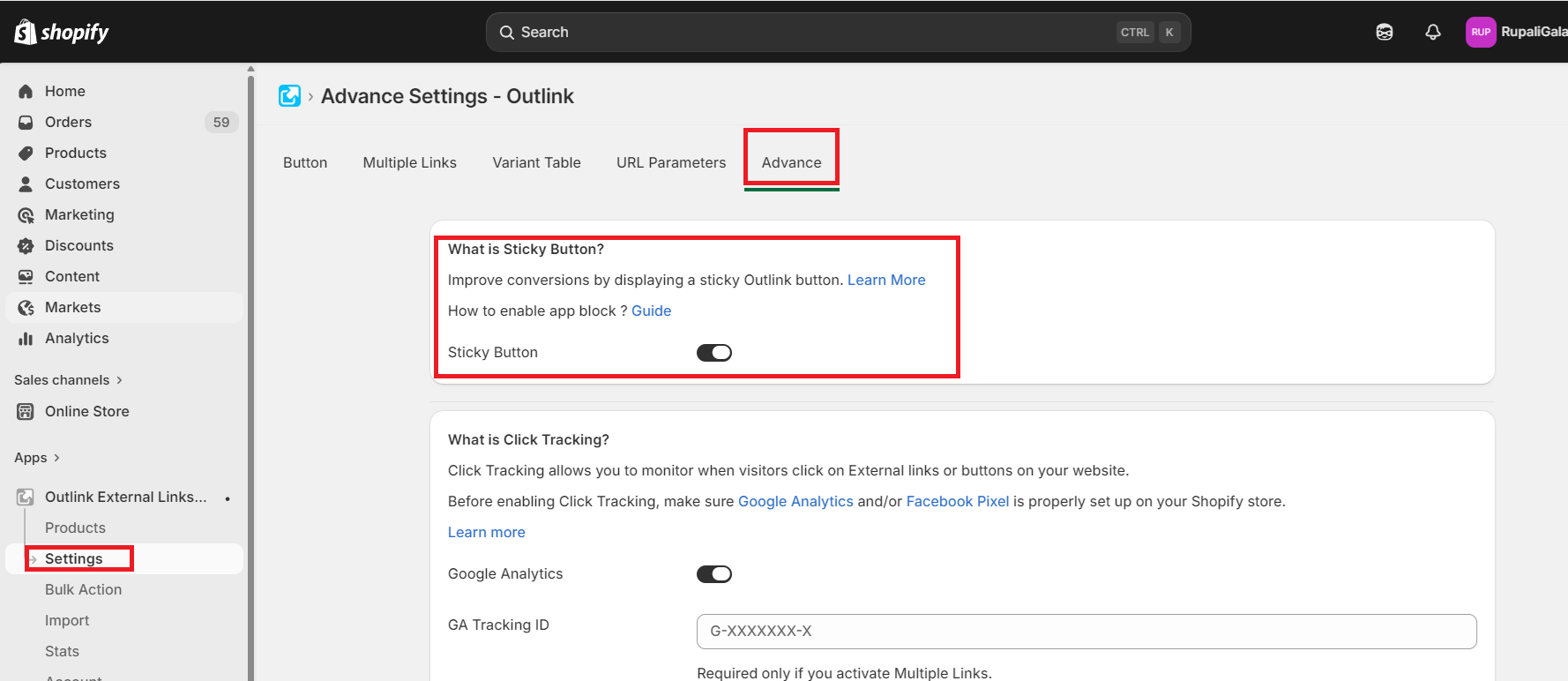
Step 2: Enabling the App block for the sticky button
Please follow the guide here to enable the Sticky Button App Block
Product Page: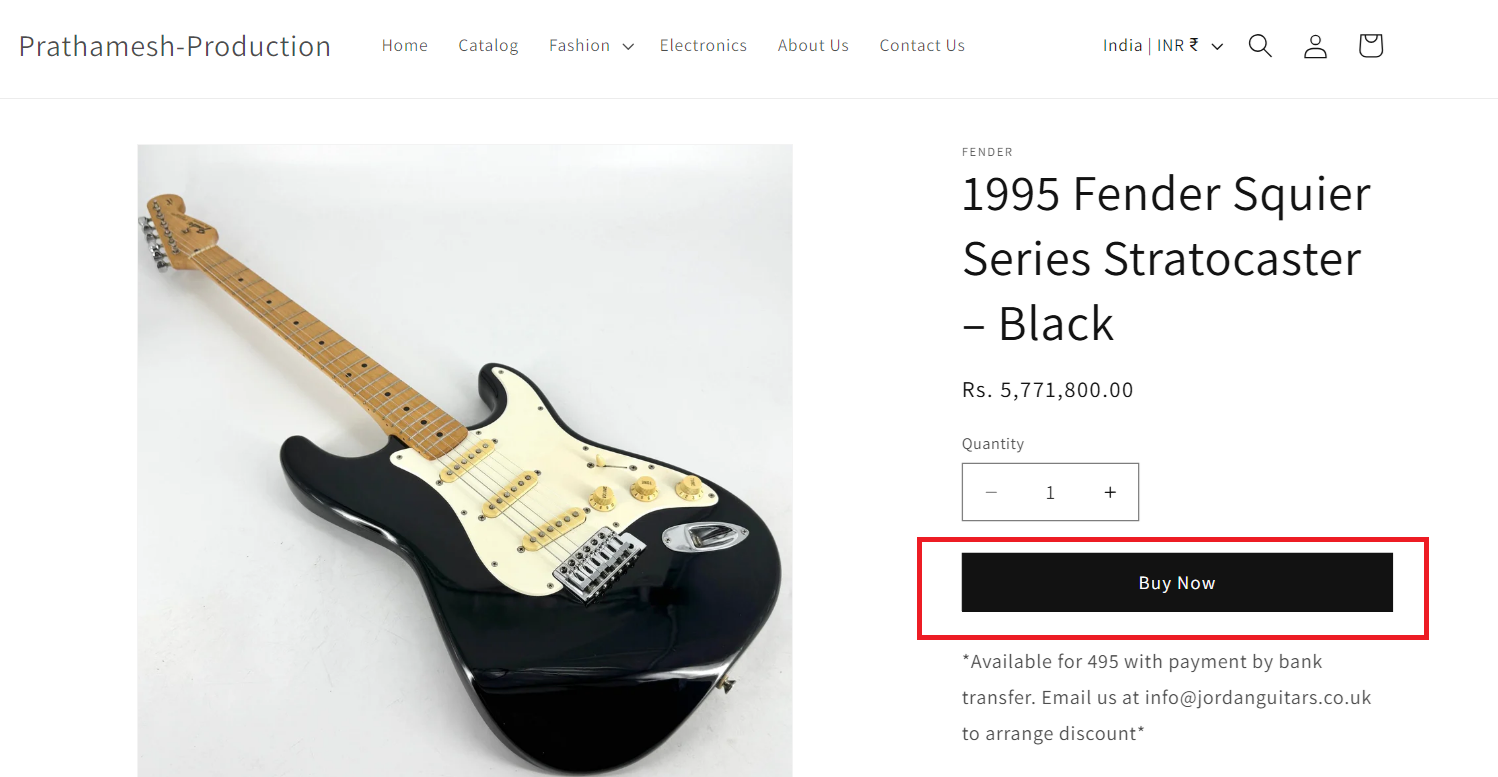
Scroll down to see the sticky button:
Note:
- The sticky button is available to Pro Plan users only.
- The sticky button supports multiple link buttons and variant level Outlinks as well.